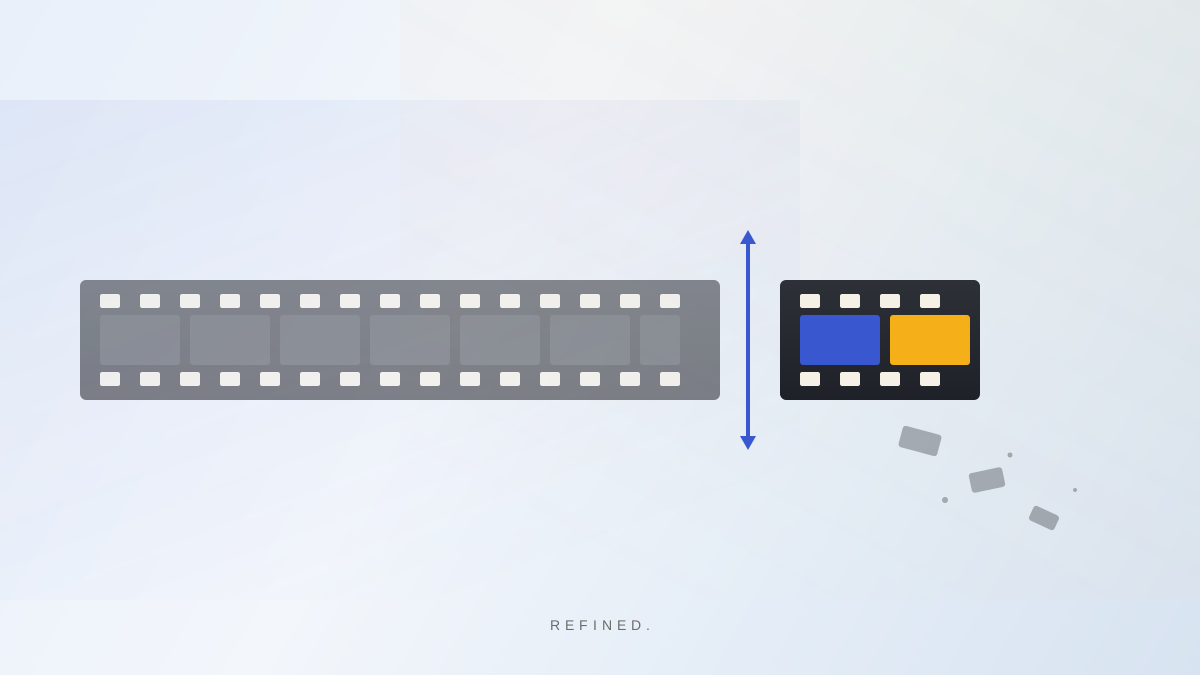
TL;DR: To edit a talking-head video fast, focus on three things: cut filler words like “um” and “uh,” remove dead air and long pauses, and trim bad takes. You can do all of this manually in a timeline editor, or you can use an AI video editor like Refined to handle it automatically the moment you import your clip. Most creators can go from raw footage to a clean, post-ready video in under five minutes.
You filmed it. Now what?
You hit record, got through your video, and now you're staring at a raw clip that's two minutes longer than it needs to be. Somewhere in there is the version you actually want to post. The problem is getting to it.
Most creators who film talking-head content spend 30 to 60 minutes editing a two-minute video. That math does not work if you want to post consistently. And most of what takes so long — the “ums,” the false starts, the five-second pause where you forgot what you were saying — is fixable in a completely predictable way.
This post walks through how to edit talking-head video fast, and how to stop letting editing eat your time.
What actually slows you down
Talking-head editing is slow for three specific reasons.
Filler words. Every creator has them. “Um,” “uh,” “like,” “you know,” “so basically.” Left in, they make your video feel unpolished. Taken out one at a time in a timeline, they cost you 20 minutes.
Dead air and long pauses. Viewers on TikTok, Reels, and Shorts decide whether to keep watching in the first two seconds. A two-second pause in the middle of your video is enough for them to scroll past. Dead air kills pacing.
Bad takes. You stopped mid-sentence. You forgot a word. You said the same thing three different ways trying to get it right. Scrubbing through your timeline to find the best version of a line is the most tedious part of the job.
All three problems are predictable. That means they can be solved systematically.
How Refined edits your talking-head video for you
Refined is a mobile video editor built specifically for talking-head content. You import your clip, and the AI handles the edit. Here is how it works.
Import your clip. Open Refined and import your video from your camera roll. You do not need to think about editing while you record. Just talk.
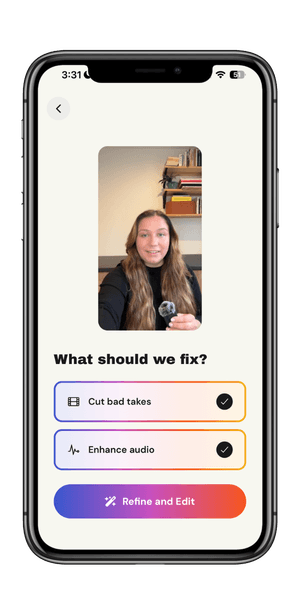
Choose what to fix. Before processing starts, Refined asks what you want it to do. You can select “Cut bad takes” to remove filler words, repeated takes, false starts, and dead air. You can also select “Enhance audio” to normalize your volume and clean up background noise. Check what you want, then tap “Refine and Edit.”
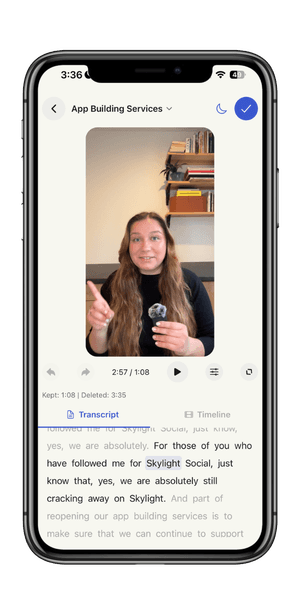
Review the edit. Refined processes your video and removes everything you asked it to cut. The result shows up as a transcript where cut words appear as strikethrough text so you can see exactly what was removed. From there you have two ways to fine-tune.
The transcript view lets you edit by reading. Every word maps to a moment in your video. Tap a word to restore a cut or remove something the AI kept. You are reading your video, not scrubbing through it.
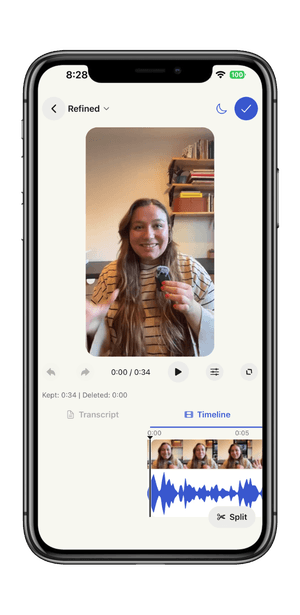
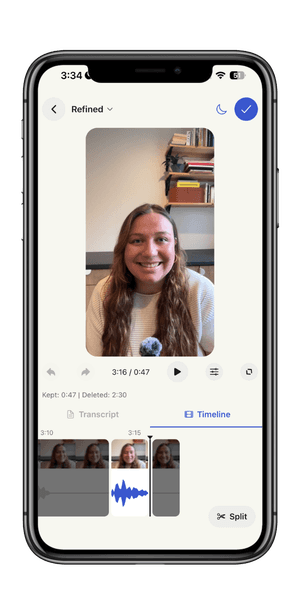
The timeline view gives you a visual scrub. You can see the waveform, the cut segments, and the full structure of your edited clip. Split at the playhead, delete segments, or restore them. Both views are live and synced.
Export and post. When you are happy with the edit, export directly to your phone. From there, post to TikTok, Instagram, YouTube Shorts, or wherever your audience is.
The whole process takes minutes. Your best take was already in there. Refined finds it.
Frequently asked questions
How long does it take to edit a talking-head video?
Manually, most creators spend 20 to 60 minutes editing a one to three minute talking-head clip, depending on how many filler words and bad takes need to go. With an AI editor like Refined, that time drops to a few minutes. The auto-edit runs as soon as you import your clip, so most of the work is already done before you make a single manual adjustment.
What is the fastest way to remove filler words from video?
The fastest way is to use an AI video editor that detects filler words automatically from your transcript. Refined identifies every “um,” “uh,” “like,” and false start the moment you import your clip, so you never have to hunt for them manually. You can then leave the cuts as-is or review them individually in the transcript view.
Can I edit talking-head videos on my phone?
Yes. Refined is a native mobile app for iOS and Android designed specifically for this. You import, edit, and export without ever opening a laptop. Most other AI video editors are browser-based or desktop-only, which adds unnecessary steps to a workflow that starts and ends on your phone.
What makes talking-head video editing different from other editing?
Talking-head content is almost entirely about the speaker. There is no B-roll to cover mistakes, no music to mask pauses, and no natural cuts to hide filler words. Every “um” is audible, every dead air gap is visible, and every bad take has to be found and removed. That is what makes talking-head editing more repetitive than other formats, and what makes transcript-based tools so much faster for it.
Stop editing. Start posting.
If you film talking-head content and you are still spending an hour on every edit, that time is coming out of your posting consistency. Refined handles the part you hate. Import your next clip and see what comes out the other side.
Record. Refine. Post.